

Dev server
Rsbuild includes a built-in dev server that enhances the development experience. When you run rsbuild dev or rsbuild preview, the server starts and provides features like page preview, routing, and hot module replacement.
Base path
By default, the Rsbuild server's base path is /. You can access output files like index.html and public folder assets at http://localhost:3000/.
To change the server's base path, use server.base. For example, to access files at http://localhost:3000/foo/:
View static assets
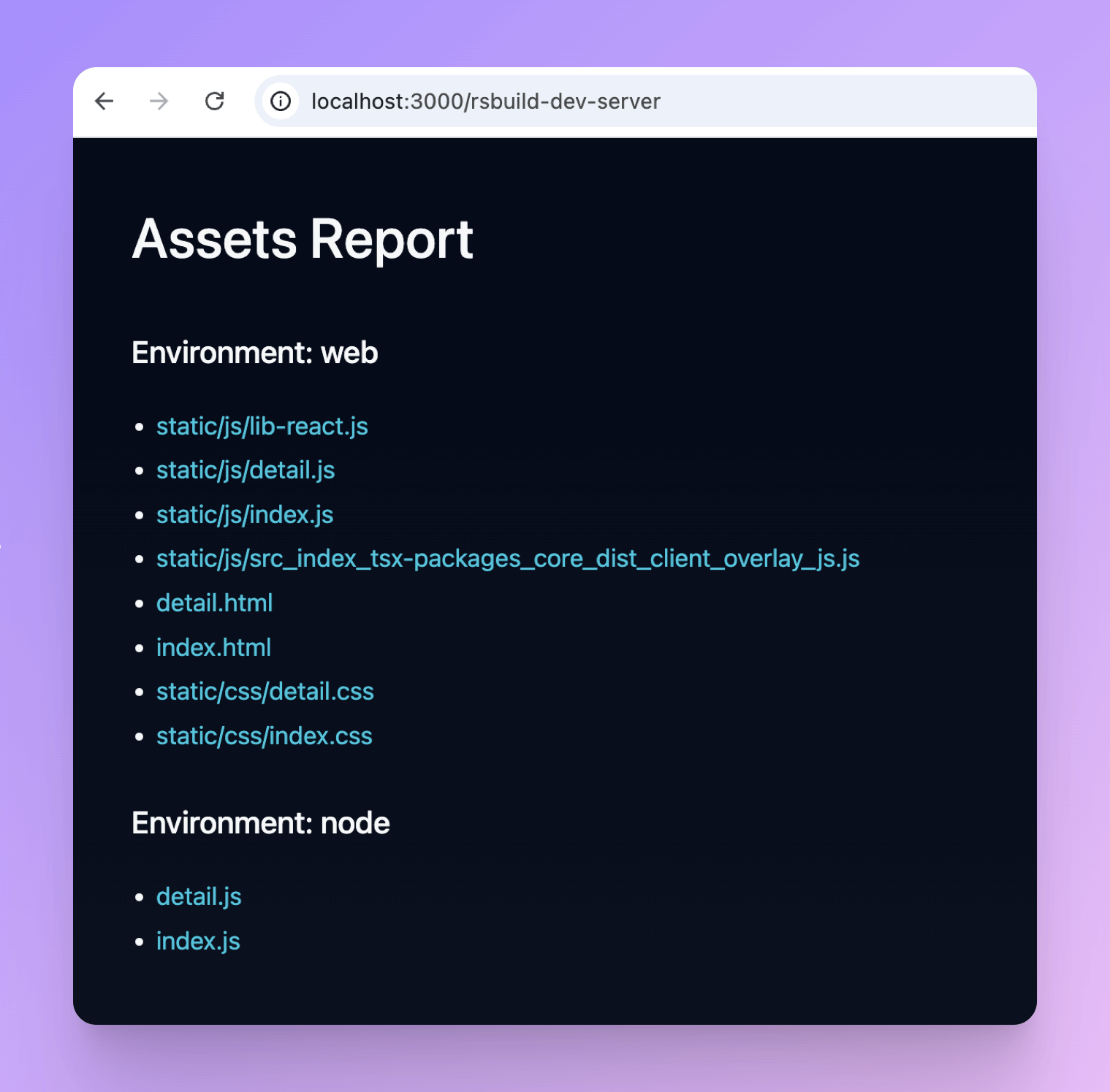
After starting the dev server, visit /rsbuild-dev-server to view all static assets generated during the current build.
For example, open http://localhost:3000/rsbuild-dev-server in your browser:
Page routing
The Rsbuild server provides default routing conventions and allows customization through configuration.
Default behavior
The Rsbuild server generates page routes based on the server.base and source.entry configurations.
When the entry is index, access the page at /. When the entry is foo, access the page at /foo.
When server.base is /base, access the index page at /base, and the foo page at /base/foo.
Fallback behavior
If a request meets the following conditions but no corresponding static asset exists, server.htmlFallback triggers and falls back to index.html by default:
- The request method is
GETorHEAD - The
Acceptheader containstext/html(for example,text/htmlor*/*)
Custom fallback behavior
If Rsbuild's default server.htmlFallback configuration doesn't meet your needs (for example, serving main.html when accessing /), use server.historyApiFallback instead.
HTML output path
Normally, / points to the dist root directory, and HTML files are output there. In this case, access HTML pages at /some-path.
If you output HTML files to other subdirectories using output.distPath.html, access HTML pages at /[htmlPath]/some-path instead.
For example, if you set HTML files to output to the HTML directory, access index.html at /html/, and foo.html at /html/foo.
Rspack dev server
Rsbuild includes its own lightweight dev server, which differs from the servers in Rspack CLI and webpack CLI and offers its own configuration options.
Comparison
Compared to the dev server in Rspack CLI, Rsbuild's dev server has the following differences:
- Configuration: Rsbuild provides richer server configuration options.
- Log Format: The log format of Rspack CLI is largely consistent with webpack CLI, while Rsbuild's logs are clearer and more readable.
- Dependencies: Rsbuild is built on lightweight libraries like
connect, which has fewer dependencies and faster startup thanexpressused by@rspack/dev-server.
Configuration
Rsbuild doesn't support Rspack's devServer config. Use Rsbuild's dev and server configs instead.
In Rsbuild, the dev config contains settings that only apply in development mode, while the server config applies to both dev and preview servers.
Below are the Rsbuild configuration options that correspond to Rspack CLI's devServer config:
For more configurations, refer to Config Overview.
Middleware
Rsbuild's middleware implementation is built on connect, a lightweight HTTP server framework, and uses the standard Node.js request and response objects for handling HTTP interactions.
Register middleware
Rsbuild provides three ways to register middleware:
- Use the dev.setupMiddlewares configuration.
- In the Rsbuild plugin, you can register middleware through the onBeforeStartDevServer hook.
- When using the Rsbuild JavaScript API, you can create a dev server instance through the rsbuild.createDevServer method and use the
usemethod to register middleware.
Integrate third-party server frameworks
When migrating from other server frameworks like Express, the original middleware may not work directly in Rsbuild. For example, Express-specific properties like req.params, req.path, req.search, and req.query aren't available in Rsbuild middleware.
To reuse existing middleware in Rsbuild, integrate your entire server application as middleware:
Custom server
To integrate Rsbuild's dev server into a custom server, use the createDevServer method to get the Rsbuild dev server instance and call its methods as needed.
For details, refer to Rsbuild - createDevServer.