

Browserslist
Rsbuild supports using Browserslist to specify which browsers should be supported in your web application.
What is browserslist
Since different browsers support ECMAScript and CSS features differently, developers need to specify the correct browser range for web applications.
Browserslist lets you specify which browsers your web application can run in. It provides a configuration for specifying browser ranges. Browserslist has become an industry standard, used by libraries such as SWC, Lightning CSS, Babel, ESLint, PostCSS, and webpack.
When you specify a browser range through Browserslist, Rsbuild compiles JavaScript and CSS code to match the specified syntax.
Polyfill injection
If you enable output.polyfill, Rsbuild will also inject the corresponding polyfill code based on browserslist. When you only need to support more modern browsers, the build process will introduce less compatibility code and polyfills, reducing the bundle size.
For example, when you need to be compatible with IE11, Rsbuild will compile the code to ES5 and inject the polyfills required by IE11 through core-js.
Please refer to Browser compatibility for more information.
Default values
Rsbuild sets different default Browserslist values according to output.target. You can also explicitly set Browserslist in your project to make the compatibility scope clearer.
Web target
If output.target is web, Rsbuild will use the following Browserslist by default:
With this browser range, the build output will be compatible with browsers that support native ES Modules.
Node target
If output.target is node, Rsbuild will default to outputting bundles that run on Node.js 16.0 or later.
Web Workers target
If output.target is web-worker, Rsbuild will default to using the following Browserslist (consistent with the web target):
Set browserslist
You can set the Browserslist value in the package.json or .browserslistrc file in the root directory of the current project.
Example
Set via browserslist in package.json:
Set via a separate .browserslistrc file:
Effective scope
By default, the .browserslistrc file only applies to browser-side bundles, including the web and web-worker target types.
When building multiple targets simultaneously, for example if the targets contain both web and node, only the web bundles will be affected by the .browserslistrc file. To make changes to the node bundles, you can use the output.overrideBrowserslist configuration below.
Set by env
You can set different browserslist configurations based on NODE_ENV to specify different browser ranges for development and production.
For example, set values based on keys in the package.json:
Or in .browserslistrc:
Override via config
In addition to the standard usage above, Rsbuild also provides output.overrideBrowserslist config, which can also set the Browserslist value.
overrideBrowserslist can be set to an array with the same syntax as browserslistrc, but it has a higher priority than browserslistrc.
In most cases, we recommend using the .browserslistrc file rather than the overrideBrowserslist config. The .browserslistrc file is the standard config file, making it more general and recognizable by other libraries in the community.
Commonly used browserslist
The following are some commonly used Browserslist configurations. Choose according to your project type.
Desktop web application
For desktop web applications, if you need to be compatible with IE 11 browsers, you can set Browserslist to:
The above Browserslist will compile the code to ES5. For the specific browser list, please check browserslist.dev.
If you don't need to be compatible with IE 11, you can adjust browserslist for more performant output, such as:
- Set to browsers that support native ES Modules (recommended):
- Set to browsers that support ES6:
Mobile web application
For mobile web applications, mainly compatible with iOS and Android systems, we usually set browserslist as:
The above browserslist will compile the code to ES5, which is compatible with most mobile scenarios on the market. For the detailed browser list, please check browserslist.dev.
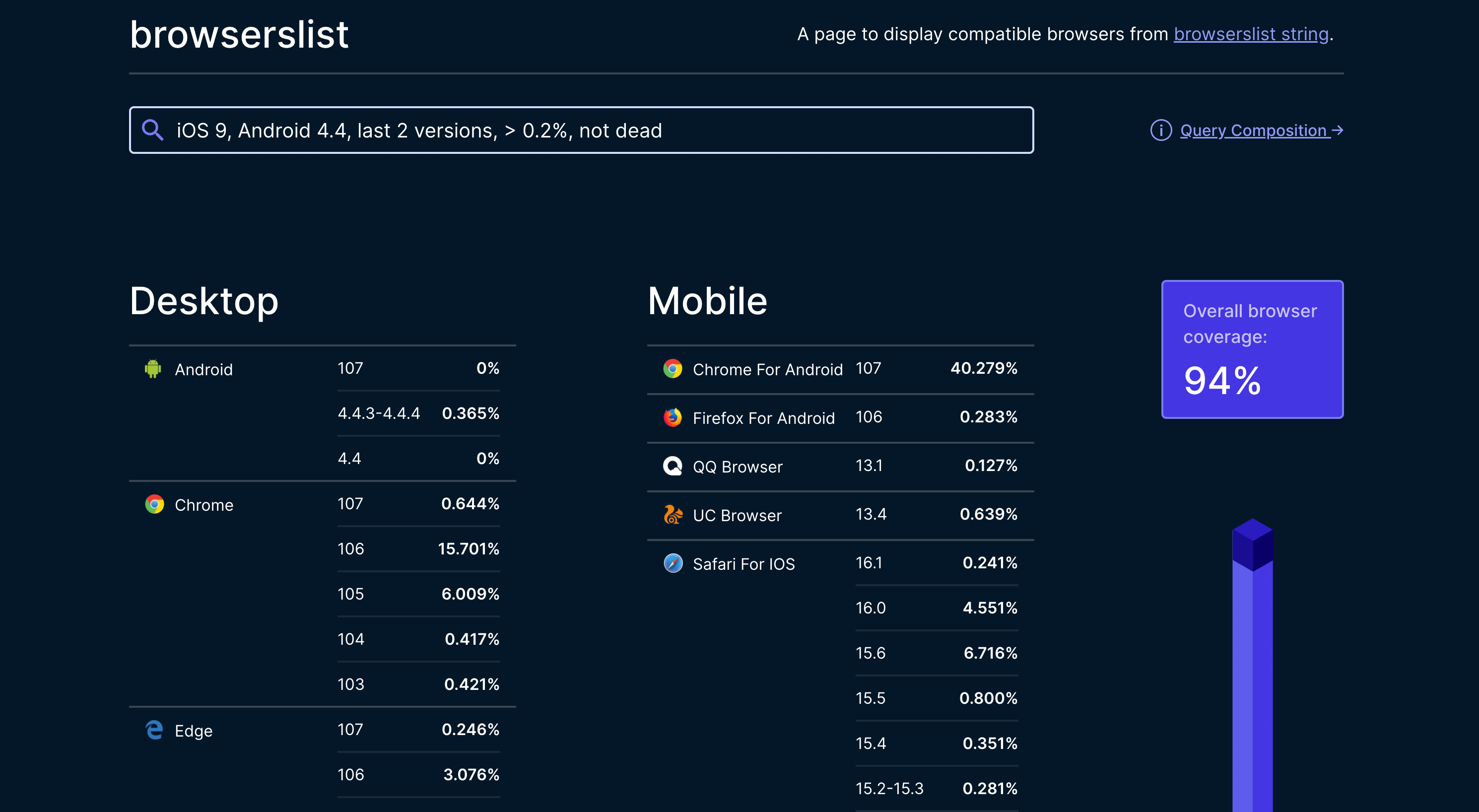
You can also choose to use ES6 or higher, which will make the page perform better. The corresponding Browserslist is as follows:
Query browser support
When developing, we need to know the browser support for certain features or APIs. You can check on the caniuse website.
For example, to check browser support for Promise, just enter Promise in caniuse, and you can see the following results:
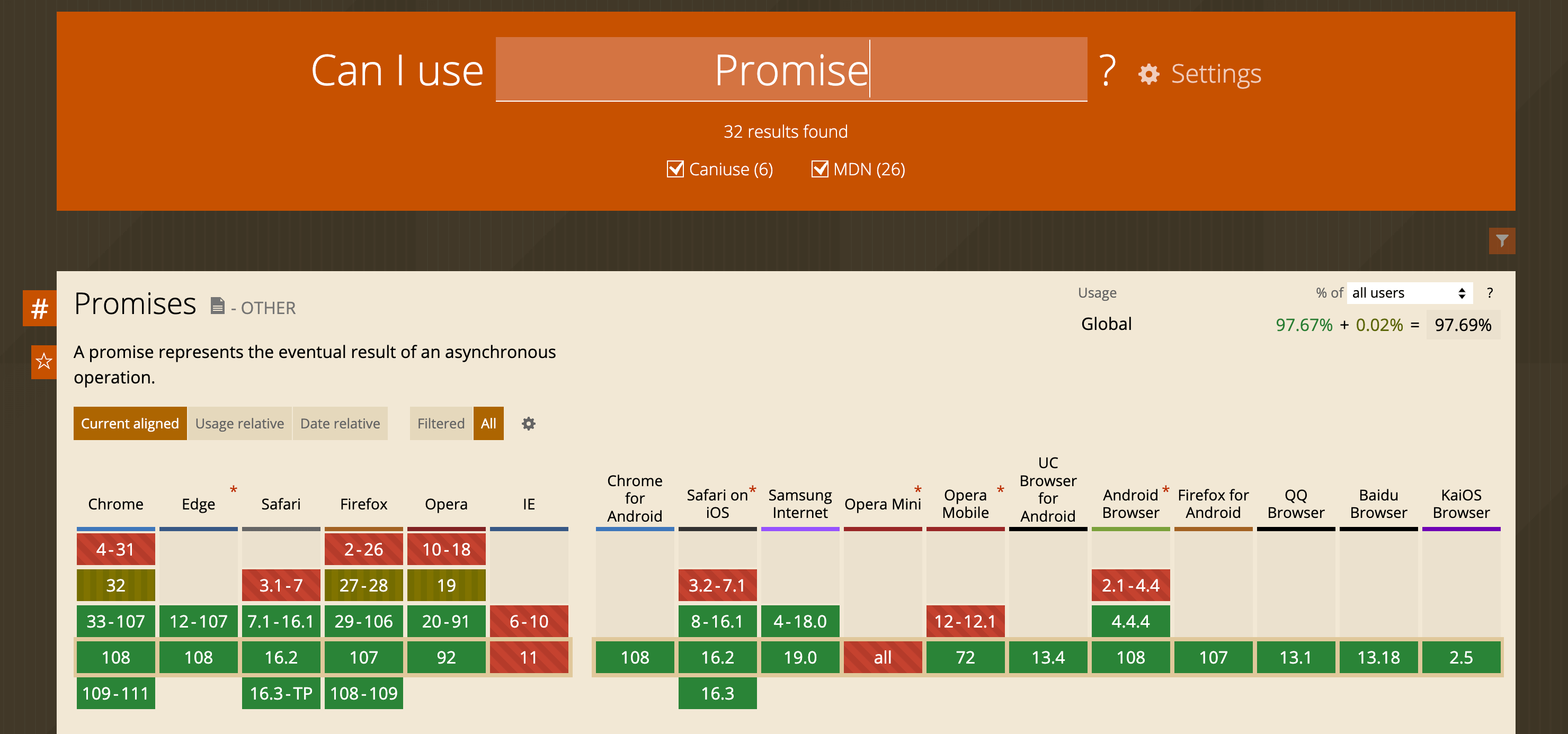
As can be seen from the above table, Promise is natively supported in Chrome 33 and iOS 8, but not in IE 11.