

performance.bundleAnalyze
- Type:
Object | undefined
Used to enable the webpack-bundle-analyzer plugin to analyze the size of the output.
By default, Rsbuild does not enable webpack-bundle-analyzer. When this feature is enabled, the default configuration is as follows:
Enable bundle analyze
You have two ways to enable webpack-bundle-analyzer to analyze the size of the output files.
Via environment variable
Add the environment variable BUNDLE_ANALYZE=true, for example:
As Windows does not support the above usage, you can also use cross-env to set environment variables. This ensures compatibility across different systems:
Via configuration
Configure performance.bundleAnalyze to enable it permanently:
Analysis result
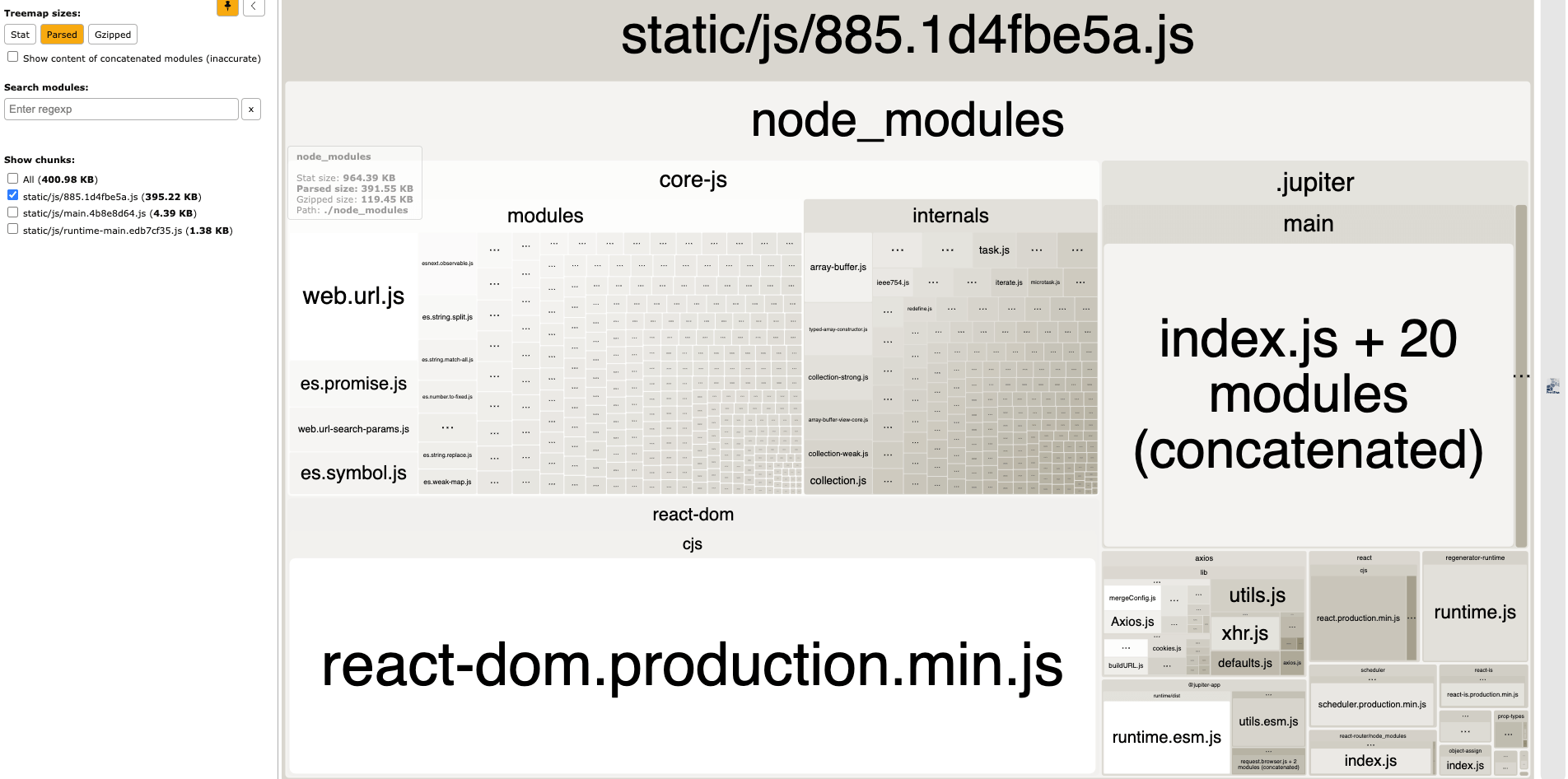
After enabling it, Rsbuild will generate an HTML file that analyzes the size of the output files, and print the following log in the terminal:
You can manually open the file in the browser and view the detail of the bundle size. When an area is larger, it indicates that its corresponding bundle size is larger.
Override default configuration
You can override the default configuration through performance.bundleAnalyze, such as enabling the server mode:
Size types
In the webpack-bundle-analyzer panel, you can control size types in the upper left corner (default is Parsed):
Stat: The size obtained from thestatsobject of the bundler, which reflects the size of the code before minification.Parsed: The size of the file on the disk, which reflects the size of the code after minification.Gzipped: The file size requested in the browser reflects the size of the code after minification and gzip.
Generate stats.json
By setting generateStatsFile to true, stats JSON file will be generated in bundle output directory.
In the output directory, you will see stats.json and report-web.html files.
If you do not need the report-web.html, you can set analyzerMode to disabled.
Notes
- Enabling the server mode will cause the
buildprocess to not exit normally. - Enabling
bundleAnalyzerwill reduce build speed. Therefore, this configuration should not be enabled during daily development, and it is recommended to enable it on demand through theBUNDLE_ANALYZEenvironment variable. - Since no code minification and other optimizations are performed in the
devphase, the real output size cannot be reflected, so it is recommended to analyze the output size in thebuildphase. - If the bundleAnalyzer is enabled during the
devphase, to ensure that webpack-bundle-analyzer can access the contents of static assets, Rsbuild will automatically enable the dev.writeToDisk option.